How to Verify Your Exness Account in 2026: KYC Requirements, Documents & Approval Time
Completing your Exness account verification is an important step to unlock full access to trading features, secure your account, and enable smooth deposits and withdrawals. The verification process is designed to be simple, fast, and user-friendly while ensuring compliance with security and regulatory standards.
In this guide, you’ll learn how to complete Exness account verification, understand the required documents, and finish the process efficiently so you can trade with confidence and peace of mind.
Exness Verify Process Overview
Exness is a global forex broker regulated by multiple leading international authorities and widely trusted by traders worldwide. If you would like to learn more about this broker, you can refer to our detailed Exness review. Below is a concise overview of the Exness Verification process.
#1 Navigate to the Official Exness Homepage
First, navigate to the official Exness website and confirm that the site is legitimate. The platform’s intuitive interface will guide you smoothly through the process. On the homepage, click [Sign in] to proceed to the login form.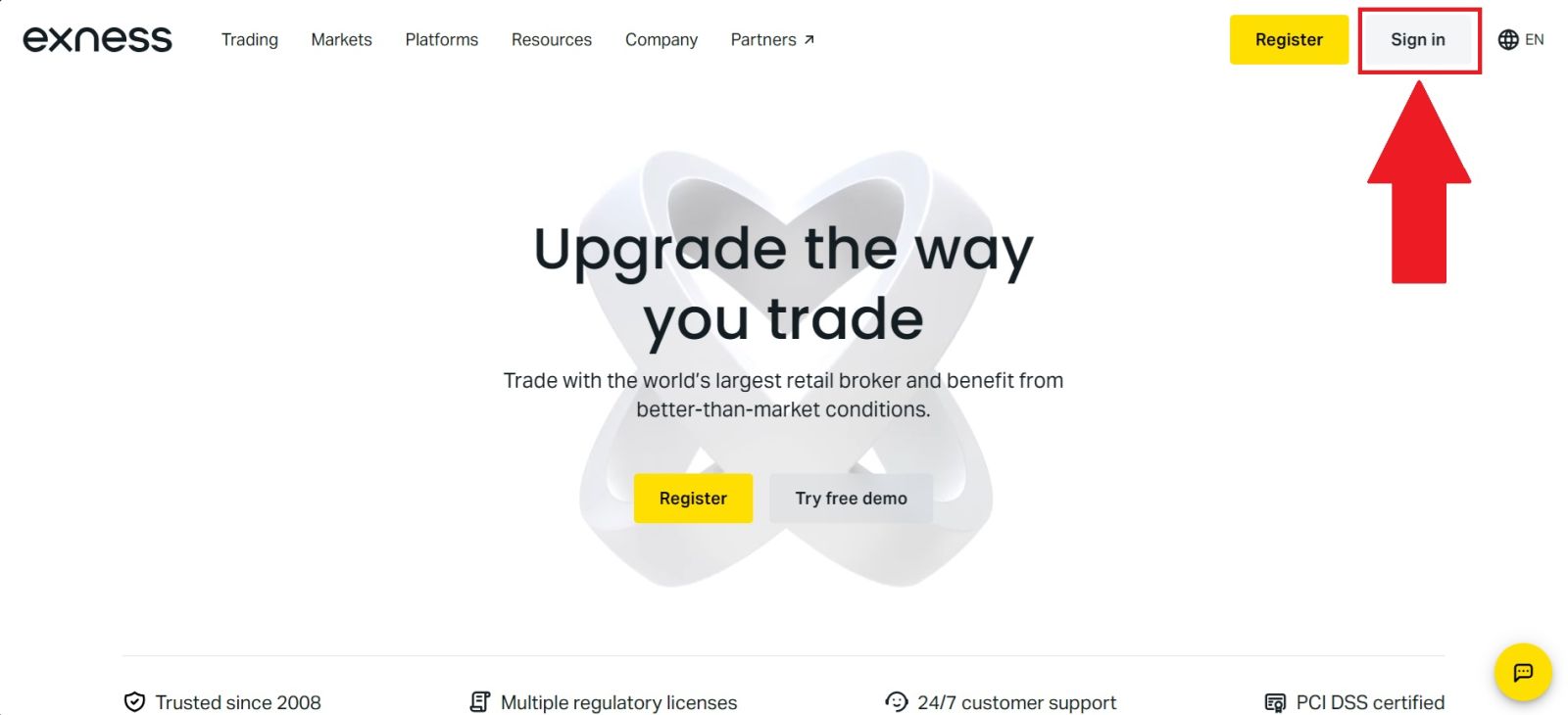
#2 Access the Verification Section
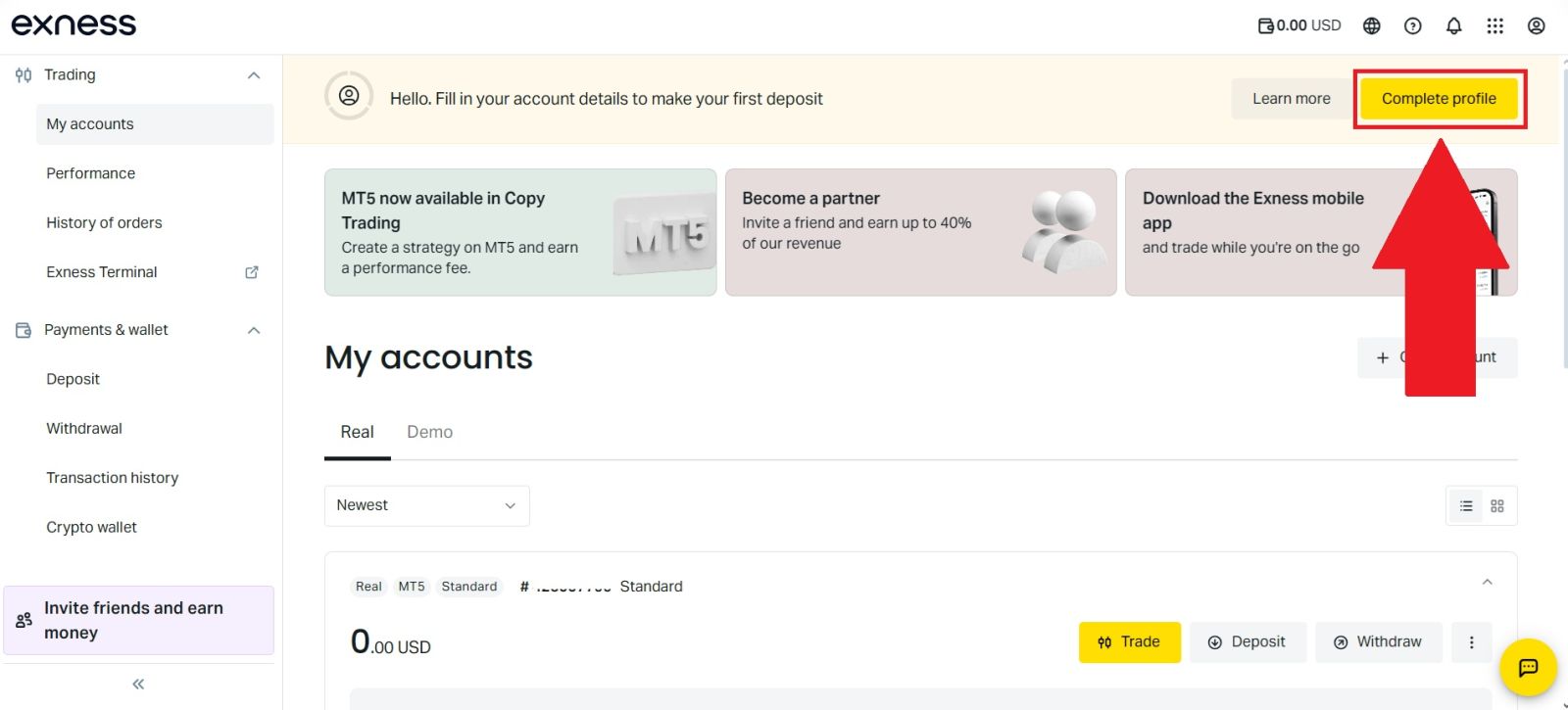
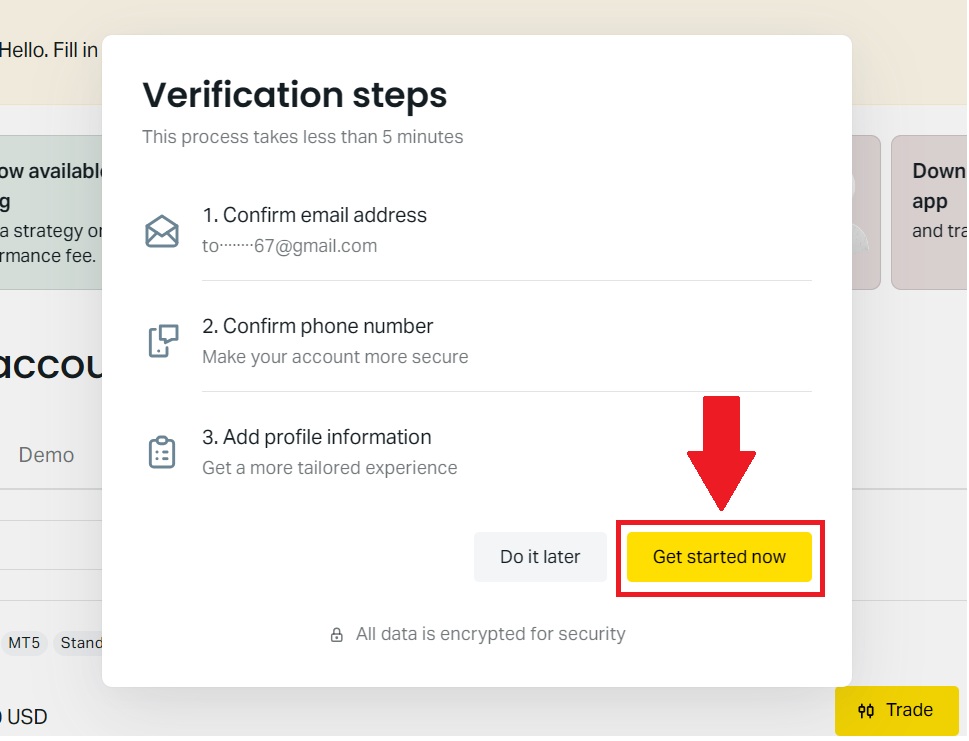
After successfully logging in to your Exness account, locate and click the [Complete profile] option on the homepage. This section is designed to help you finish setting up your account by providing the required personal information.Once you select this option, click [Get started now] to proceed and begin completing your profile so you can unlock full account functionality and continue with the verification process.
#3 Verify your Email
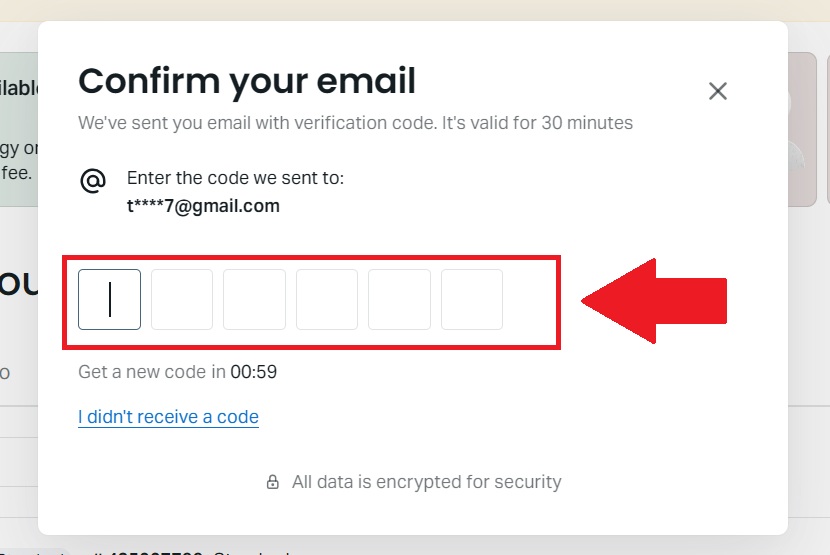
Enter the 6-digit verification code that has been sent to your registered email address into the required field to confirm your email. Make sure to input the code correctly and within the allowed time to successfully complete the email verification process and proceed with your account setup.
#4 Verify your Phone Number
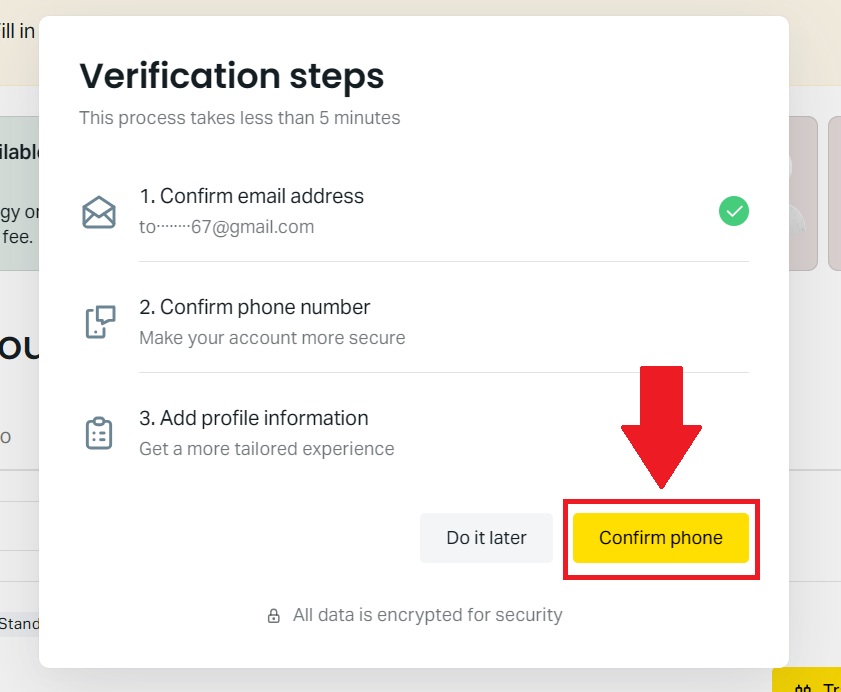
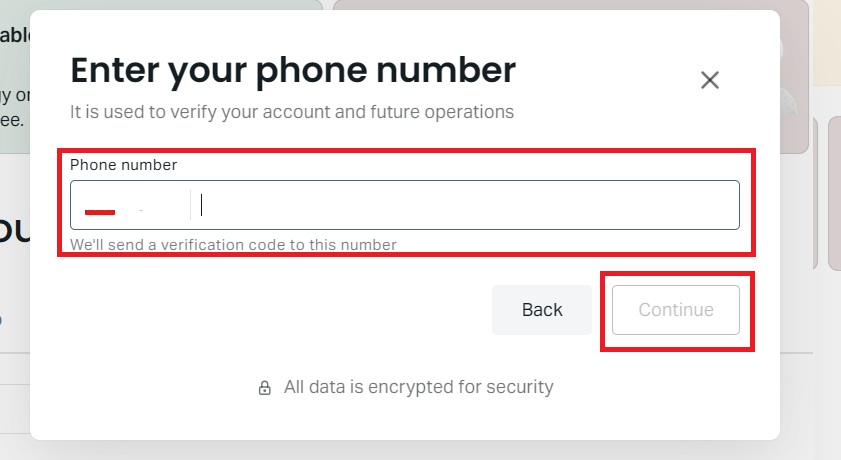
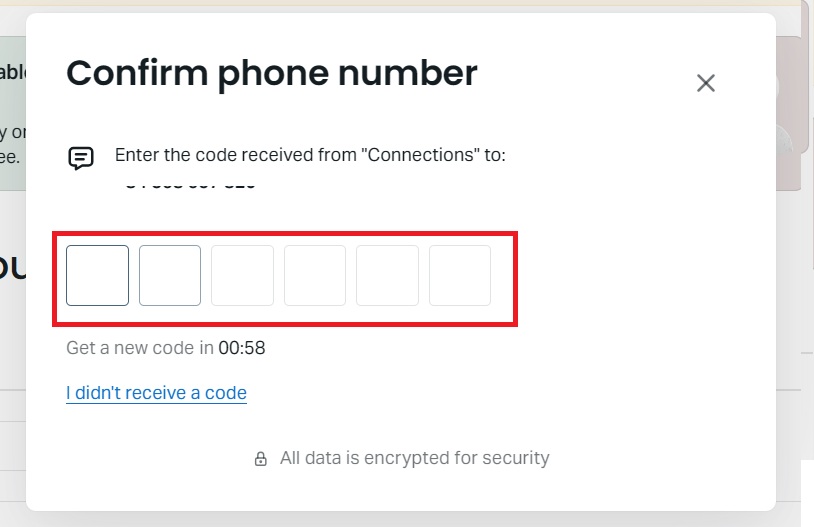
Click [Confirm phone] to proceed to the phone verification section. Enter your phone number and click [Continue], then input the 6-digit verification code sent to your phone number.Once the code is entered correctly, your phone number will be successfully verified, allowing you to continue with the account setup process.
#5 Verify Your Profile Information
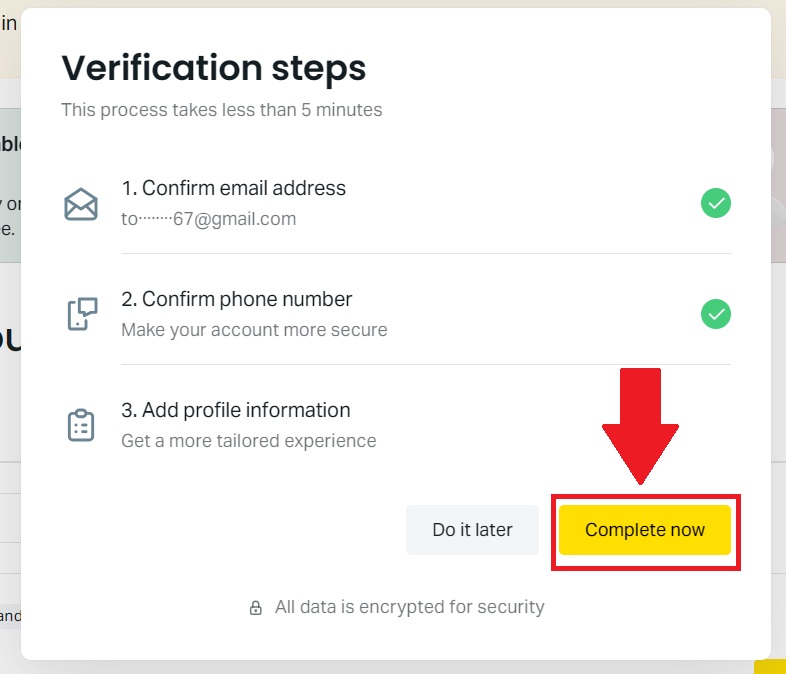
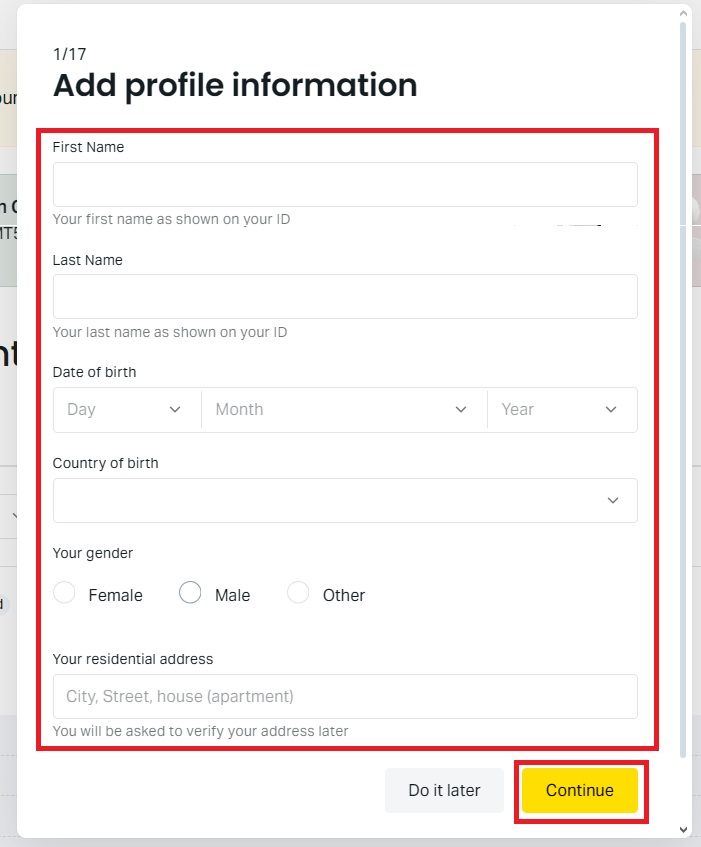
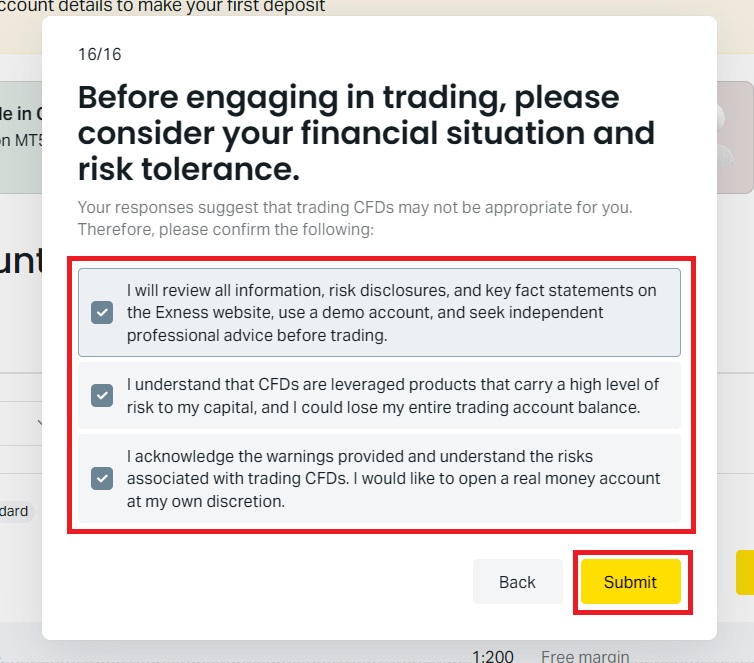
Click [Complete now] to proceed to the Profile Information verification section. Enter the required personal details carefully and click [Continue] to move forward.After that, answer the requested questions accurately and click [Submit] to complete your Profile Verification and continue setting up your account.
#6 Upload Your Documents
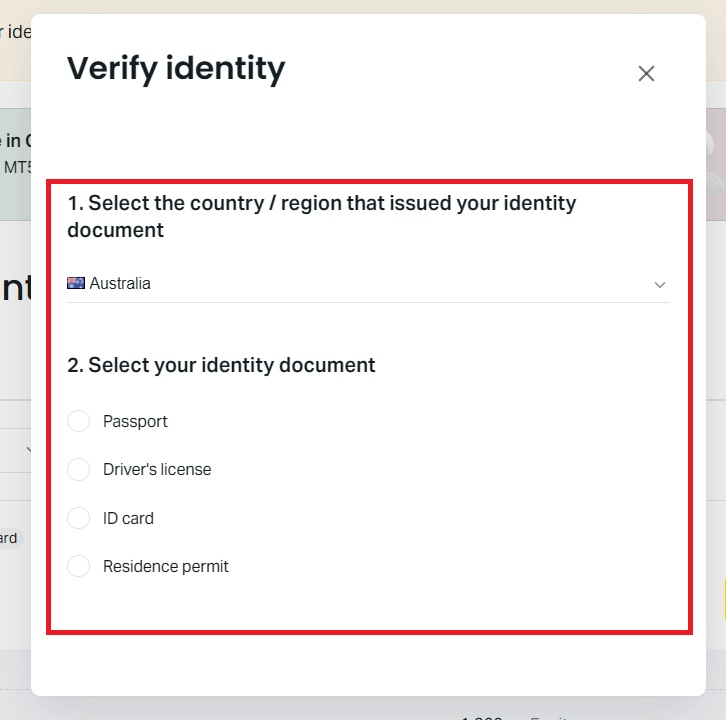
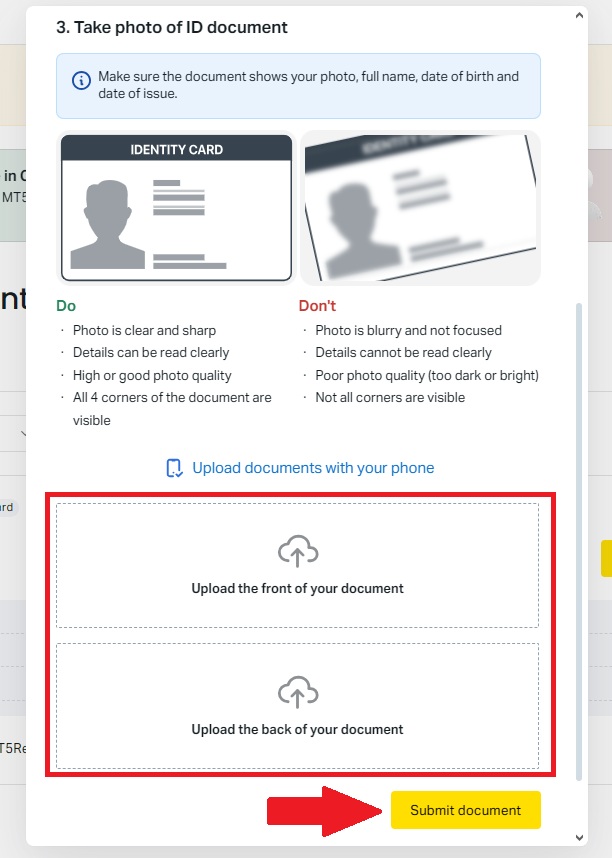
Check that your name and personal details are correct, then click [Upload documents] to begin the identity verification process. Next, select your issuing country, choose the appropriate document type—such as a passport, driver’s license, or official government-issued ID card—and upload clear images of your document.
Be sure to review the uploaded files to ensure they are legible, complete, and accurate. Once everything is in order, click [Submit document] to send your verification request. Exness will then review your submitted documents and notify you once the verification process is complete.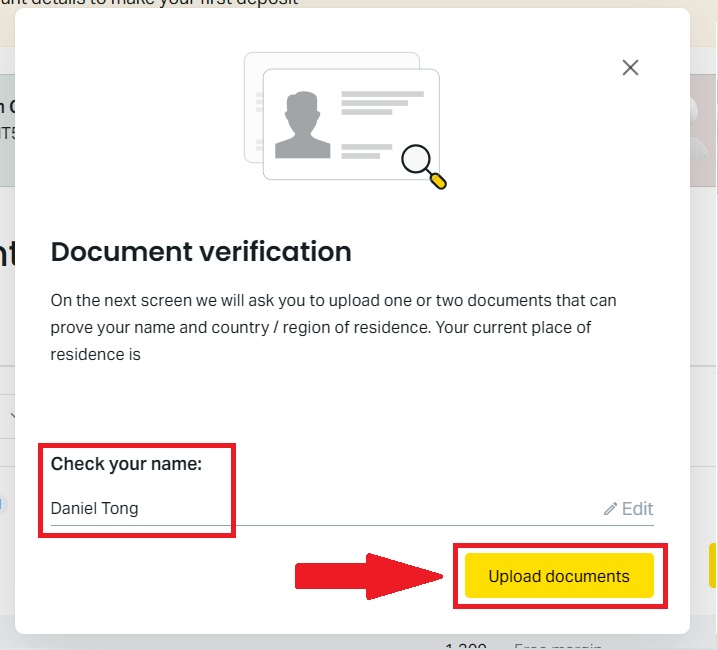
#7 Exness Verification Completed
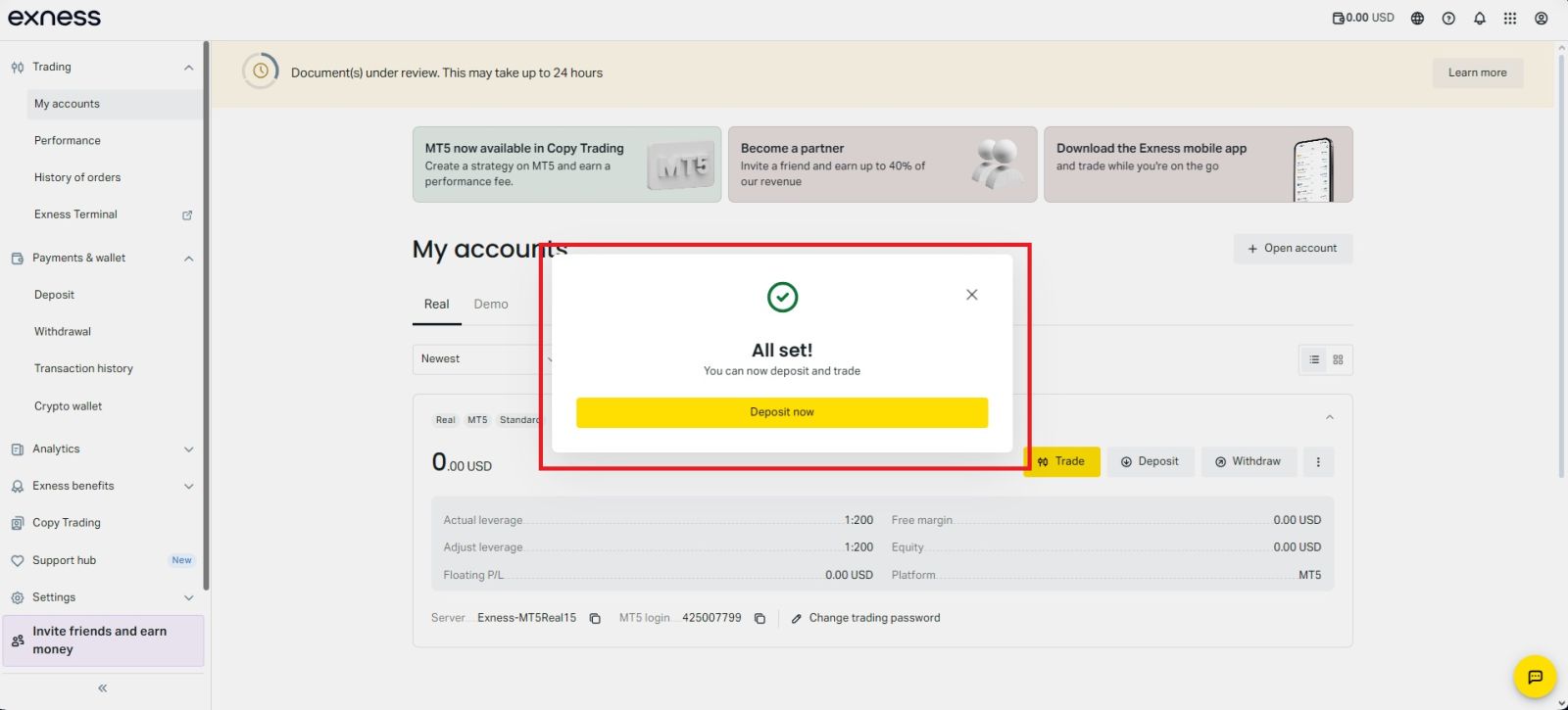
After submitting all the required information and documents, your Exness account verification will be successfully completed once it is reviewed and approved.You will receive a confirmation notification, and your account will gain full access to all Exness features, including deposits, withdrawals, and live trading.
Conclusion: Complete Your Exness Verification With Ease
Completing your Exness account verification is an essential step to unlock all platform features and ensure a secure trading experience. By verifying your identity and required documents accurately, you can enjoy smooth deposits and withdrawals, higher account limits, and uninterrupted trading.The verification process is designed to be quick and user-friendly while protecting both your account and funds. Once verified, you can trade with confidence, knowing your Exness account is fully compliant and ready for long-term use.