How to Deposit Money on Exness in 2026: Deposit Methods, Fees & Processing Time
In this guide, you’ll learn how to deposit funds into your Exness account, explore the available payment options, and ensure your balance is credited smoothly so you can begin trading with confidence.
Exness Deposit Process Overview
Exness is a globally recognized forex broker regulated by multiple leading international authorities and widely trusted by traders around the world. If you would like to gain a deeper understanding of this broker’s services, trading conditions, and platform features, you can refer to our comprehensive Exness review.
Below is a professional and concise overview of the Exness deposit process, designed to help traders fund their accounts smoothly and securely.
#1 Go to the Exness Official Trading Platform
Begin by accessing the official Exness website, ensuring the web address is correct to prevent fraudulent activity. The website offers a user-friendly layout designed for easy navigation.
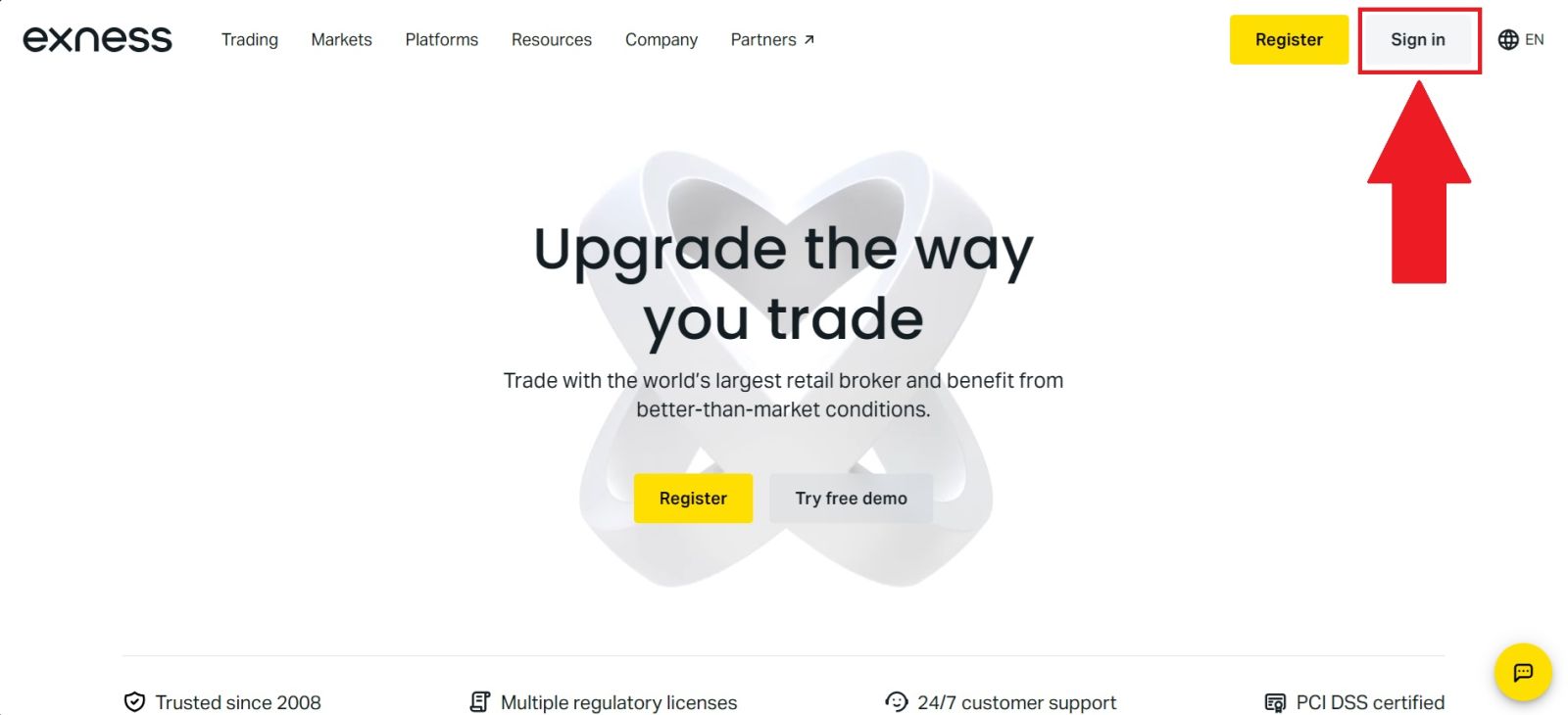
From the homepage, click [Sign in] to be redirected to the login form.
#2 Navigate to the Deposit Section
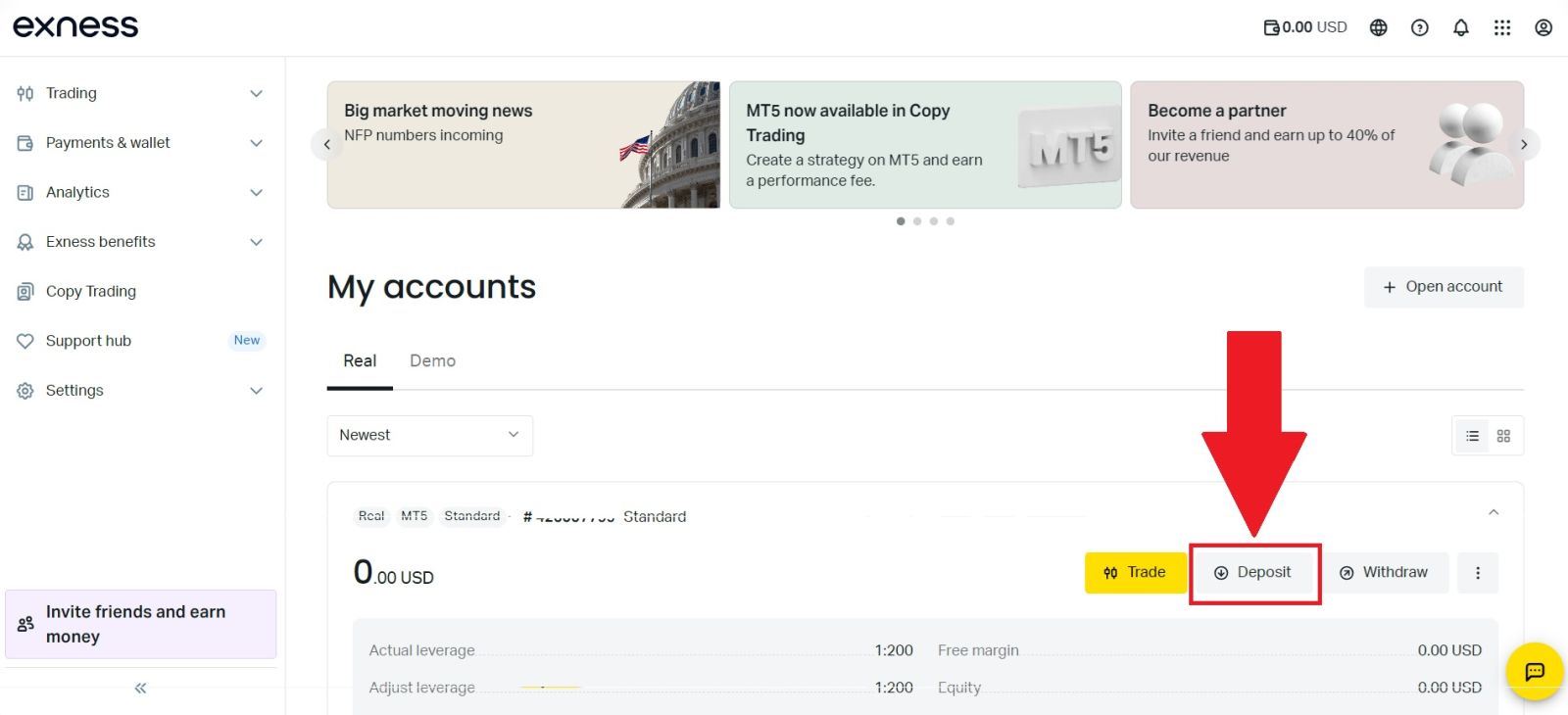
Once you have successfully logged in to your Exness account, navigate to the [Deposit] section located on the homepage of the Exness Personal Area.
This section is dedicated to account funding and allows you to view all available deposit methods, manage your payment options, and begin the process of adding funds to your trading account securely and efficiently.
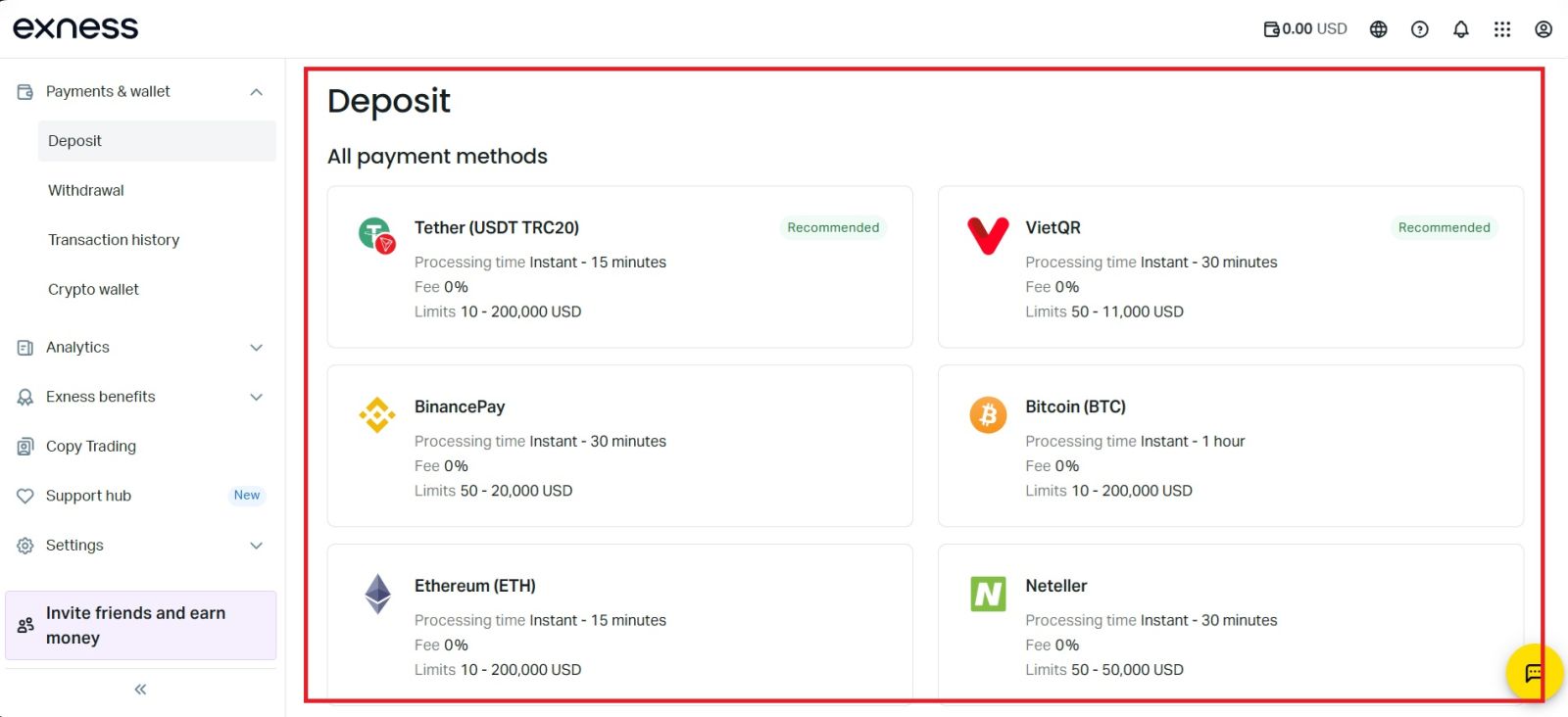
#3 Choose your Deposit Method
Select the deposit method you prefer from the list of available options provided by Exness. Choose the payment method that best suits your needs and availability. In this example, USDT (TRC20) is selected, as it is a popular choice due to its fast processing time and relatively low transaction fees.
#4 Select Your Account
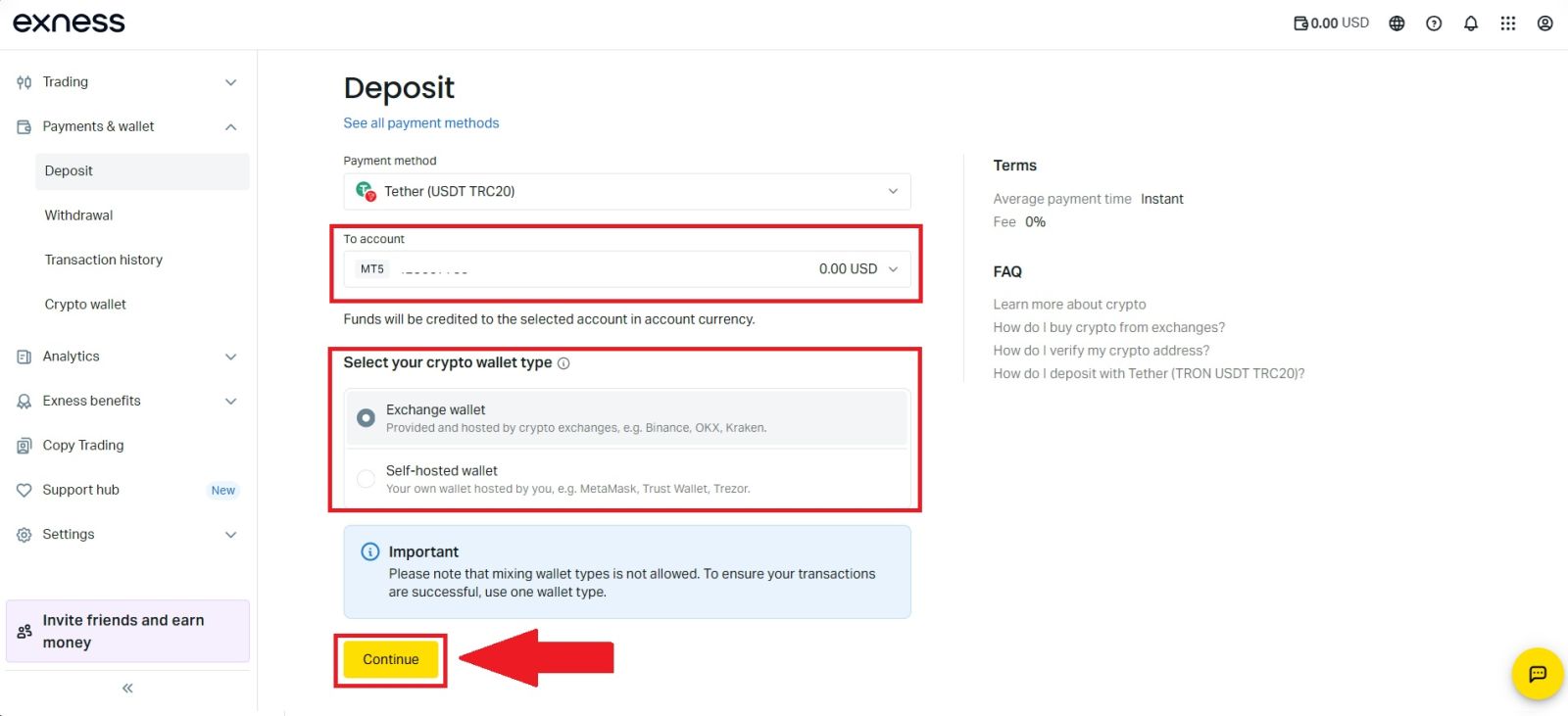
Choose the trading account you want to receive the deposited funds, then select the appropriate cryptocurrency wallet type based on your preference and network compatibility. After confirming that all details are correct, click [Continue] to proceed to the next step of the deposit process.
#5 Continue processing your payment.
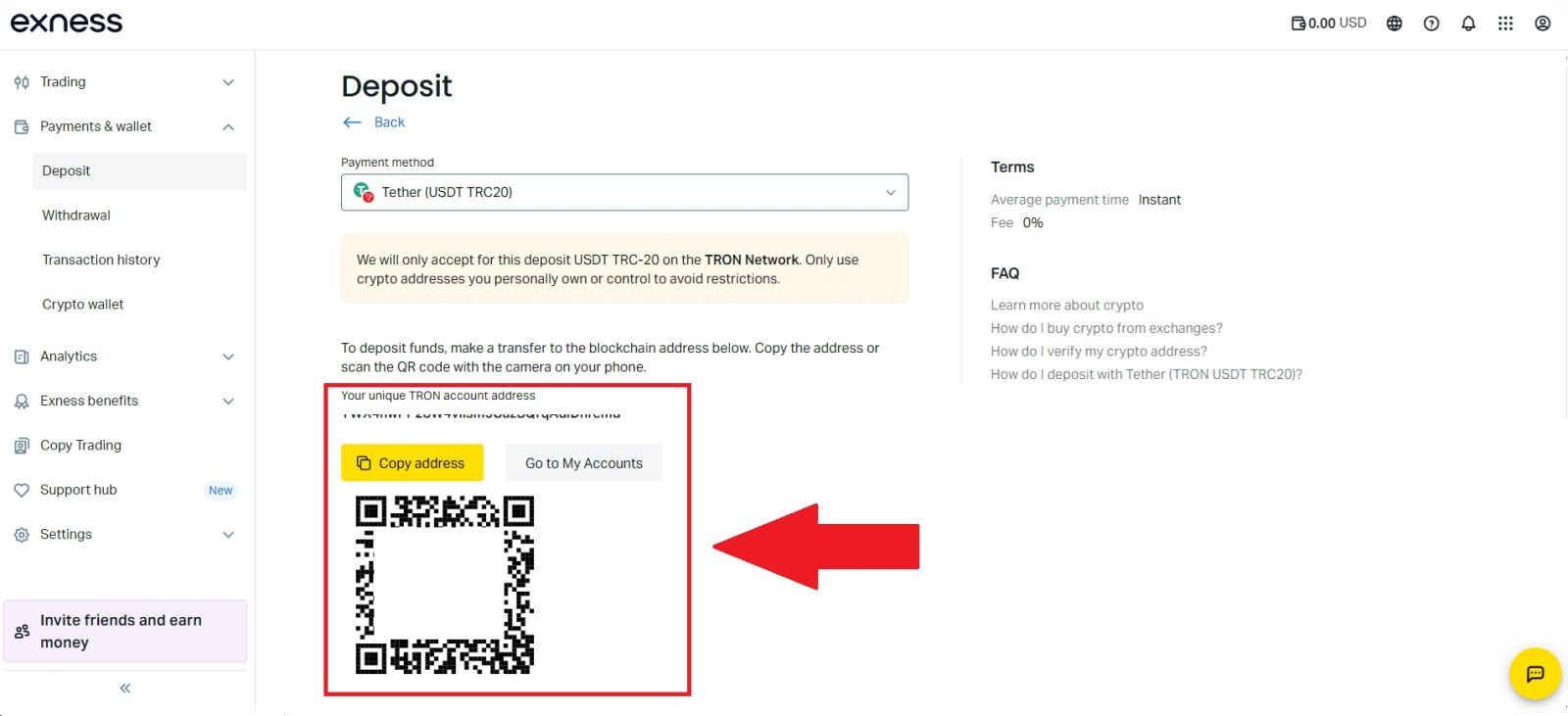
Click the [Copy] icon to copy the deposit wallet address or scan the QR code provided, then paste or use this information on your external wallet or withdrawal platform. Using the copied address or QR code, complete the deposit by confirming the withdrawal from your cryptocurrency wallet or third-party account.
Once you’ve completed the deposit, you can view your wallet to check your updated balance.
Conclusion: Deposit Funds into Your Exness Account with Confidence
Depositing funds into your Exness account is a quick and seamless process designed to help you start trading without delays. With multiple secure payment methods and instant processing options, Exness makes funding your account convenient and efficient.
By following the correct deposit steps and confirming transaction details, you can ensure your funds are credited smoothly. Once your balance is updated, you are ready to take advantage of trading opportunities and manage your investments confidently on the Exness platform.