How to Trade on Exness in 2026: Step-by-Step Guide for Beginners
In this step-by-step trade tutorial, you’ll learn how to trade on Exness, from setting up your platform and opening your first position to managing risk and monitoring your trades for better results.
Exness Trading Process Overview
Exness is a globally recognized forex broker regulated by multiple leading international authorities and widely trusted by traders around the world. If you would like to gain a deeper understanding of this broker’s services, trading conditions, and platform features, you can refer to our comprehensive Exness review.
Below is a professional and concise overview of the Exness trading process, designed to help traders understand the workflow and place trades efficiently and confidently on the Exness platform.
#1 Access the Official Exness Trading Platform
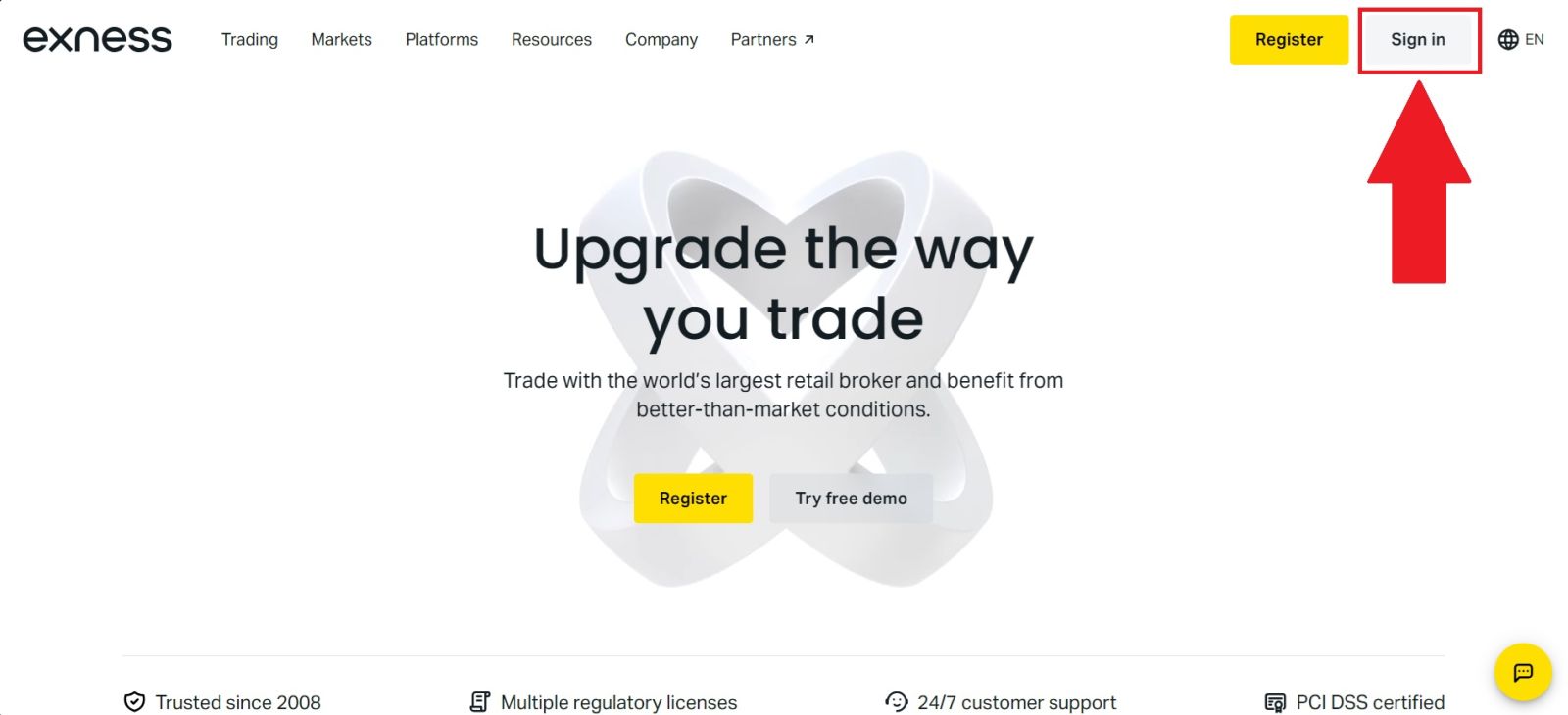
Access the official Exness website and confirm the URL to avoid phishing risks. The website’s clean and intuitive design will guide you easily. From the homepage, click [Sign in] to proceed to the login page.
#2 Navigate to the Trading Section
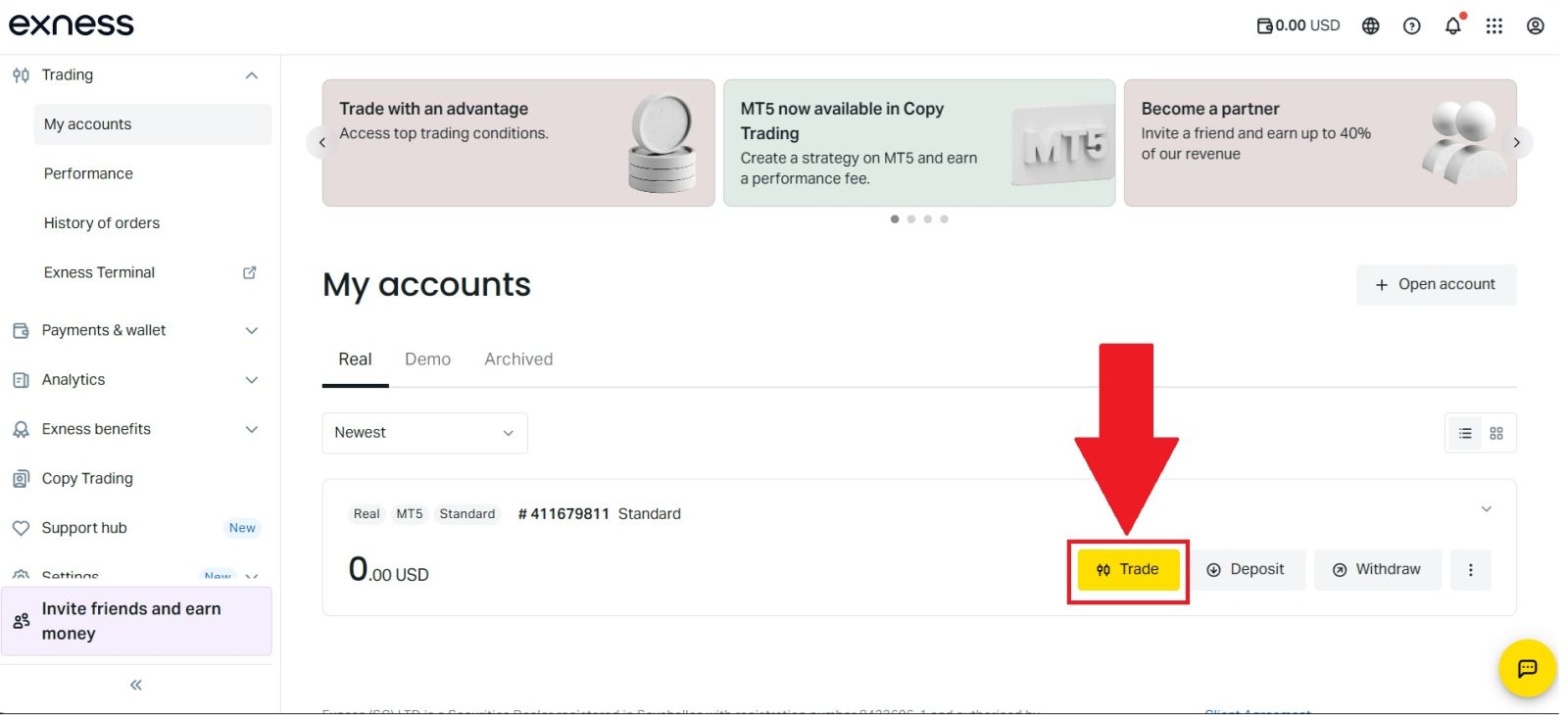
After successfully logging in to your Exness account, proceed to the [Trade] section from the main navigation menu. Here, you will be presented with a choice of trading platforms, including Exness Terminal and MetaTrader 5 (MT5).For the purpose of this guide, Exness Terminal is selected to demonstrate the trading process using Exness’s web-based platform.
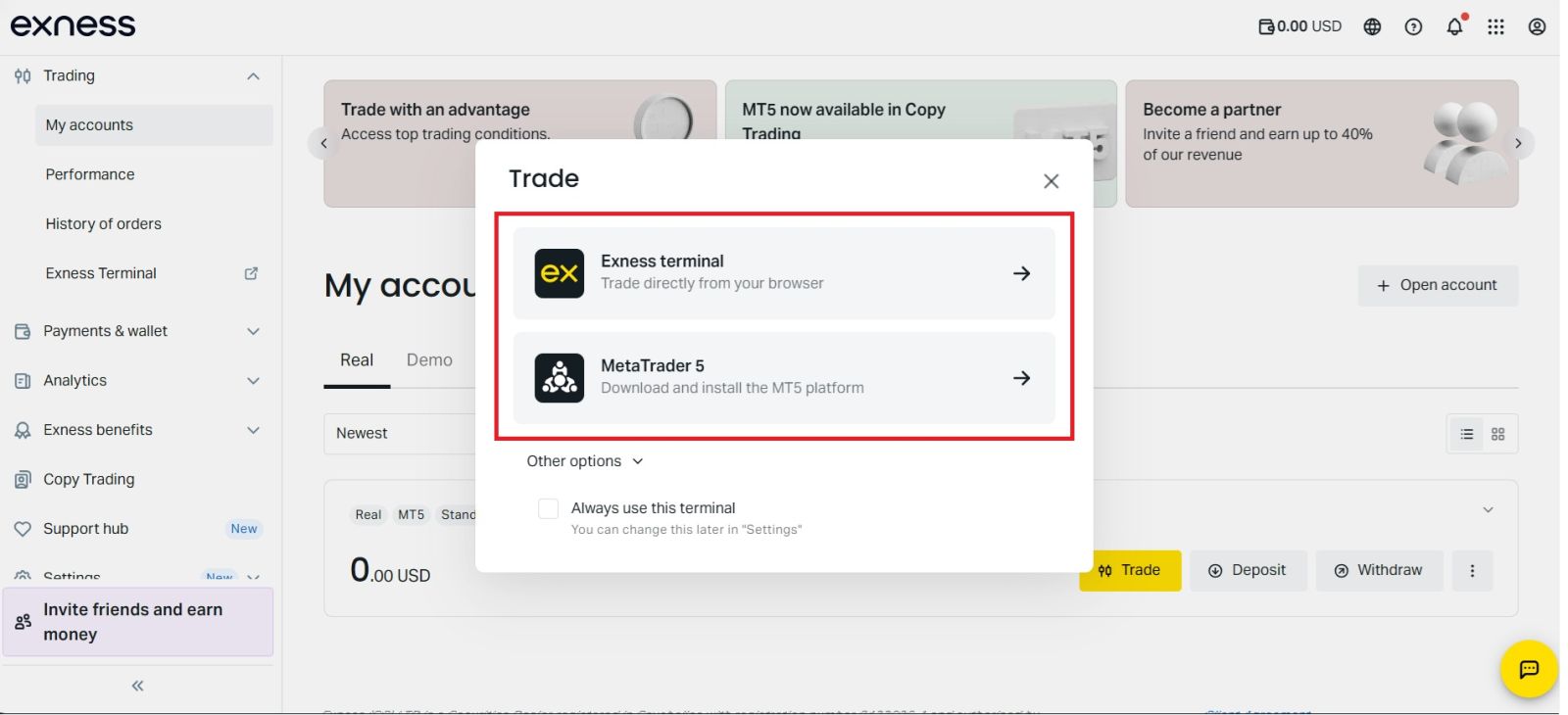
Congratulations! You are now all settled for trading as you have:
- An account with a reliable broker (the one that you use your email address to log in to);
- A trading account with deposited money (an account number and a password that you will use to log in to trade);
- A trading platform to open and close positions configured for your trading account.
#3 Explore the Exness Interface
Before opening your first trade, it is important to understand the trading interface, especially for beginners learning how to trade on Exness. The Exness platform features a clean, intuitive, and well-organized layout, allowing new traders to navigate the system with confidence from the very beginning.
This section of the Exness trading guide explains essential components such as price charts, available trading instruments, order types, and trade execution controls in a simple and easy-to-follow manner. Familiarity with these features helps minimize mistakes, enhances execution accuracy, and supports more informed trading decisions.
By building a strong foundation in platform navigation, your overall trading experience on Exness will become smoother, more efficient, and more professional.
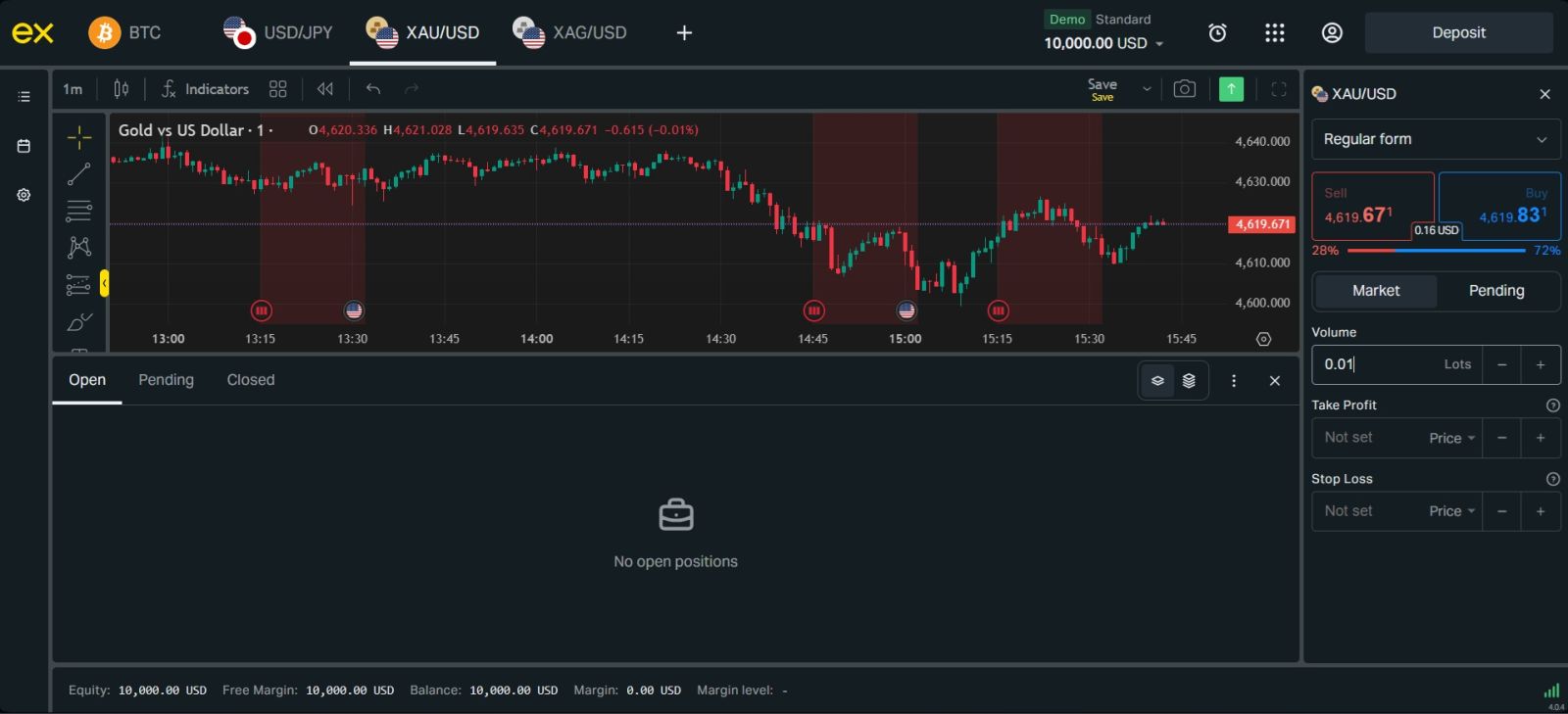 Here’s what the interface looks like:
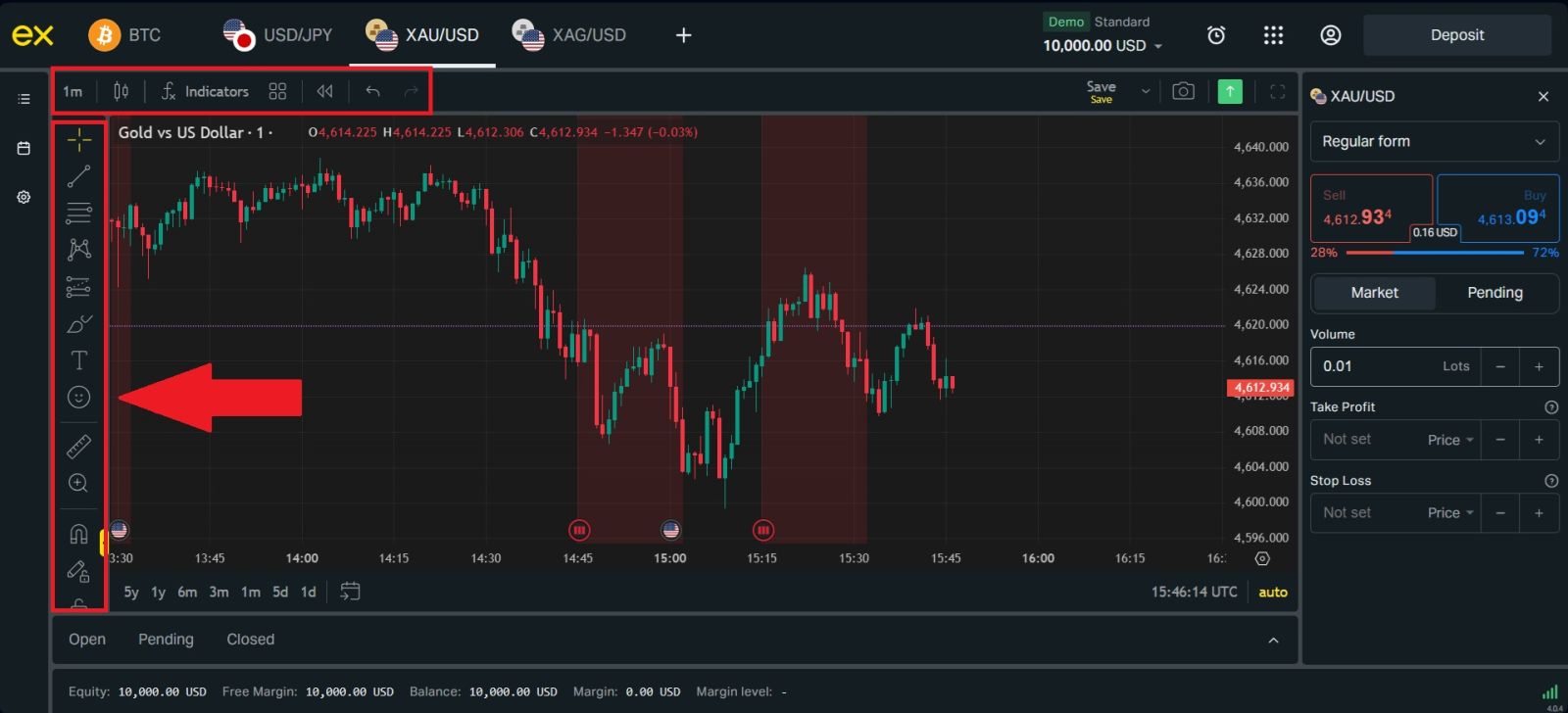
1. Menu Panel: Use the toolbar to create an order, change time frames and access indicators.
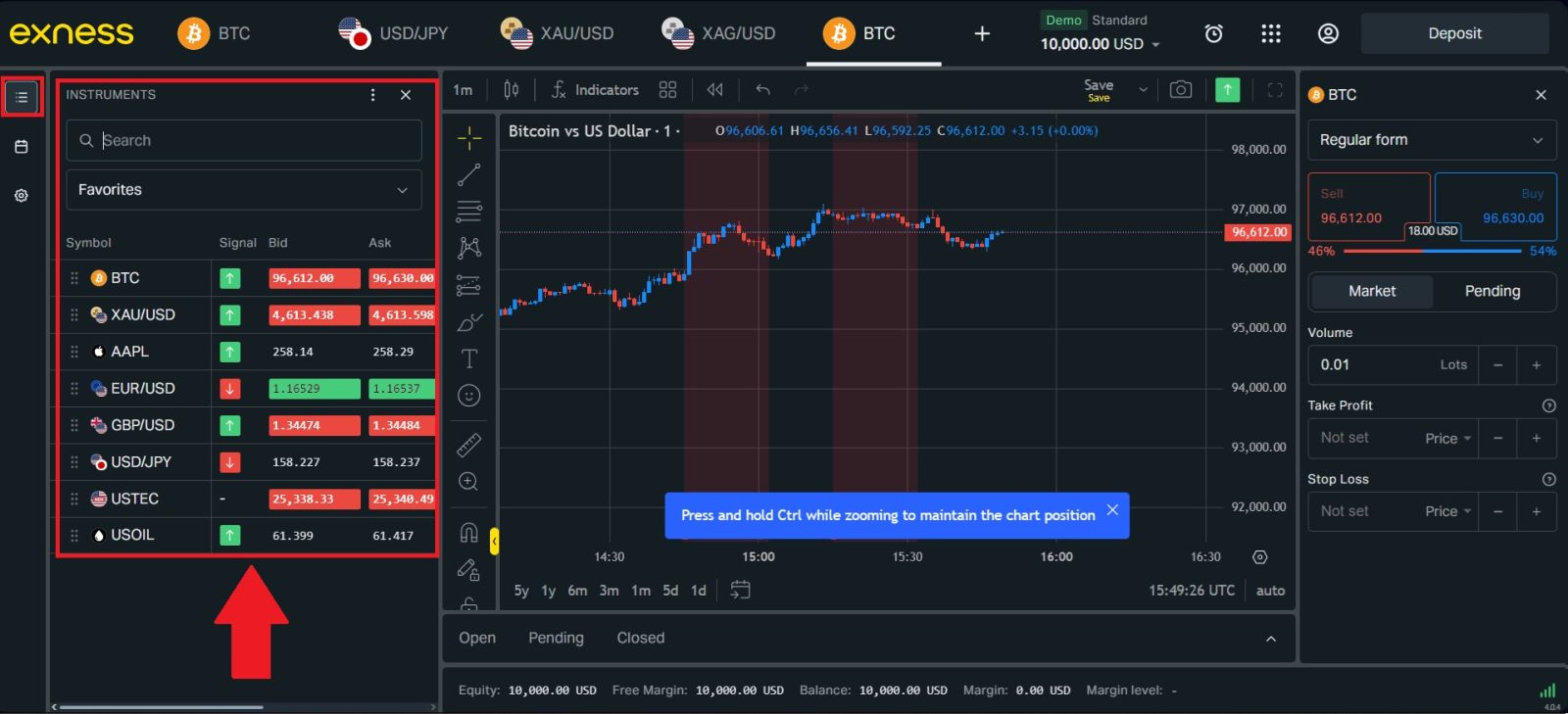
 2. Market Watch: which lists different currency pairs with their bid and ask prices.
3. Terminal: At the bottom of the screen can be found the Terminal, which has several tabs to help you keep track of the most recent activities, including Trade, Account History, Alerts, Mailbox, Experts, Journal, and so forth.
For instance, you can see your opened orders in the Trade tab, including the symbol, trade entry price, stop loss levels, take profit levels, closing price, and profit or loss. The Account History tab collects data from activities that have happened, including closed orders.
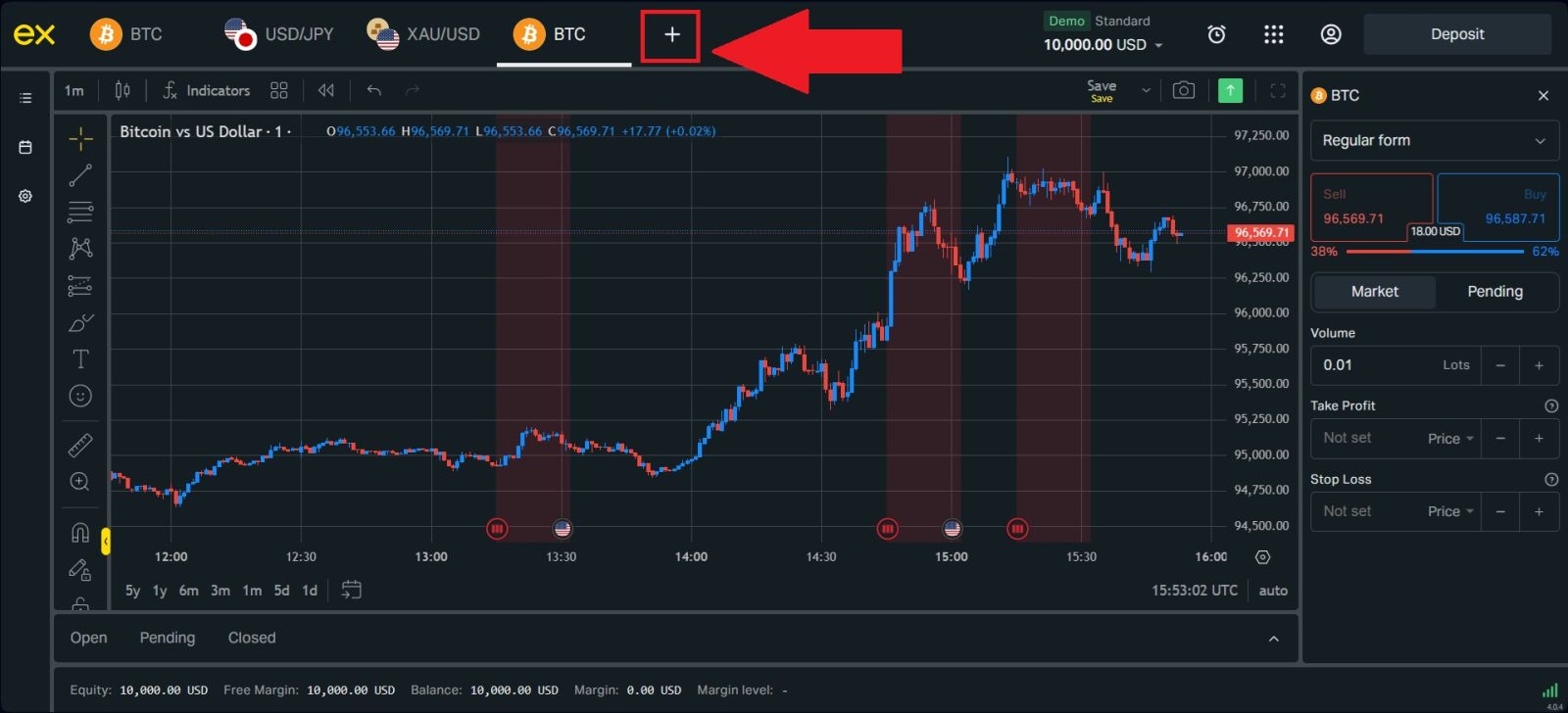
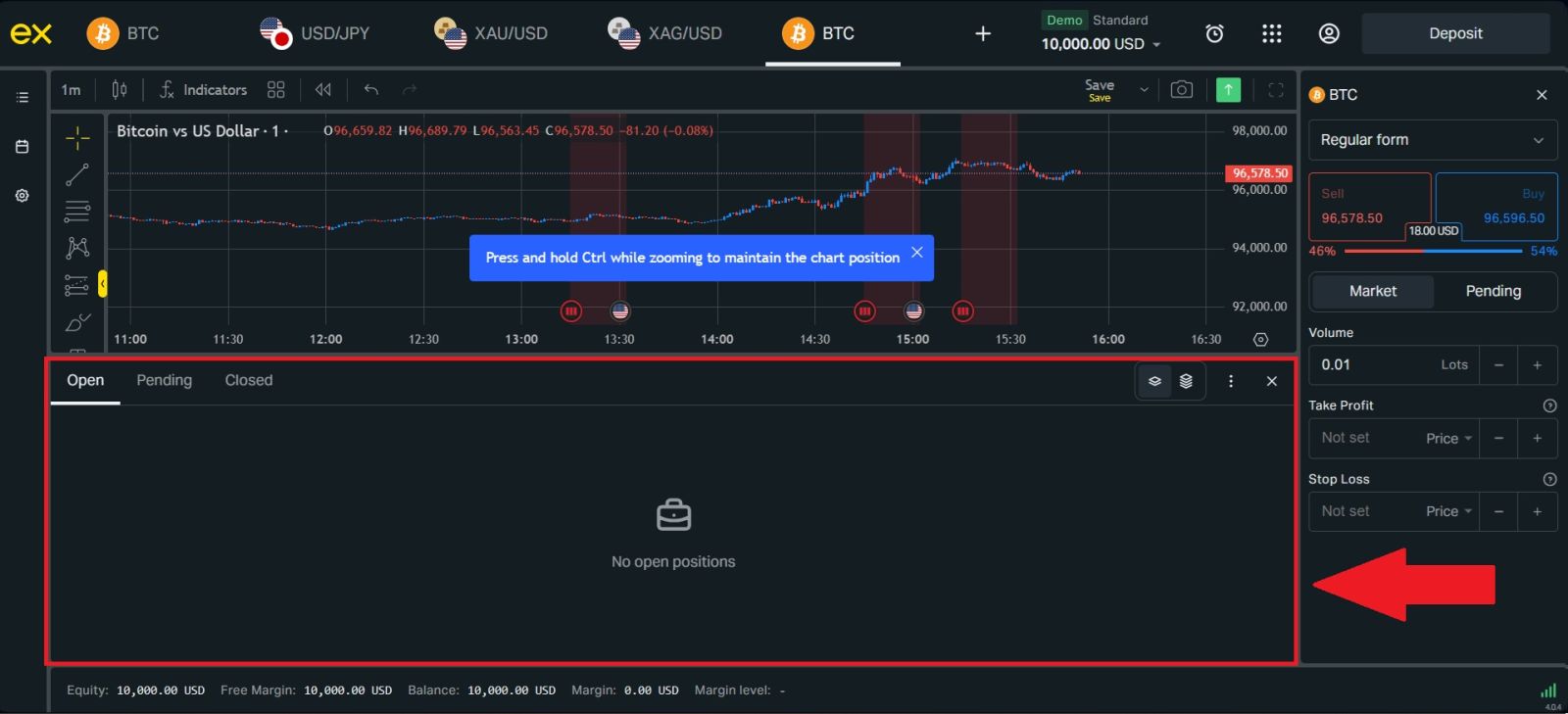 4. The chart window indicates the current state of the market and the ask and bid lines. To open an order, you need to press the New Order button in the toolbar or press the Market Watch pair and select New Order.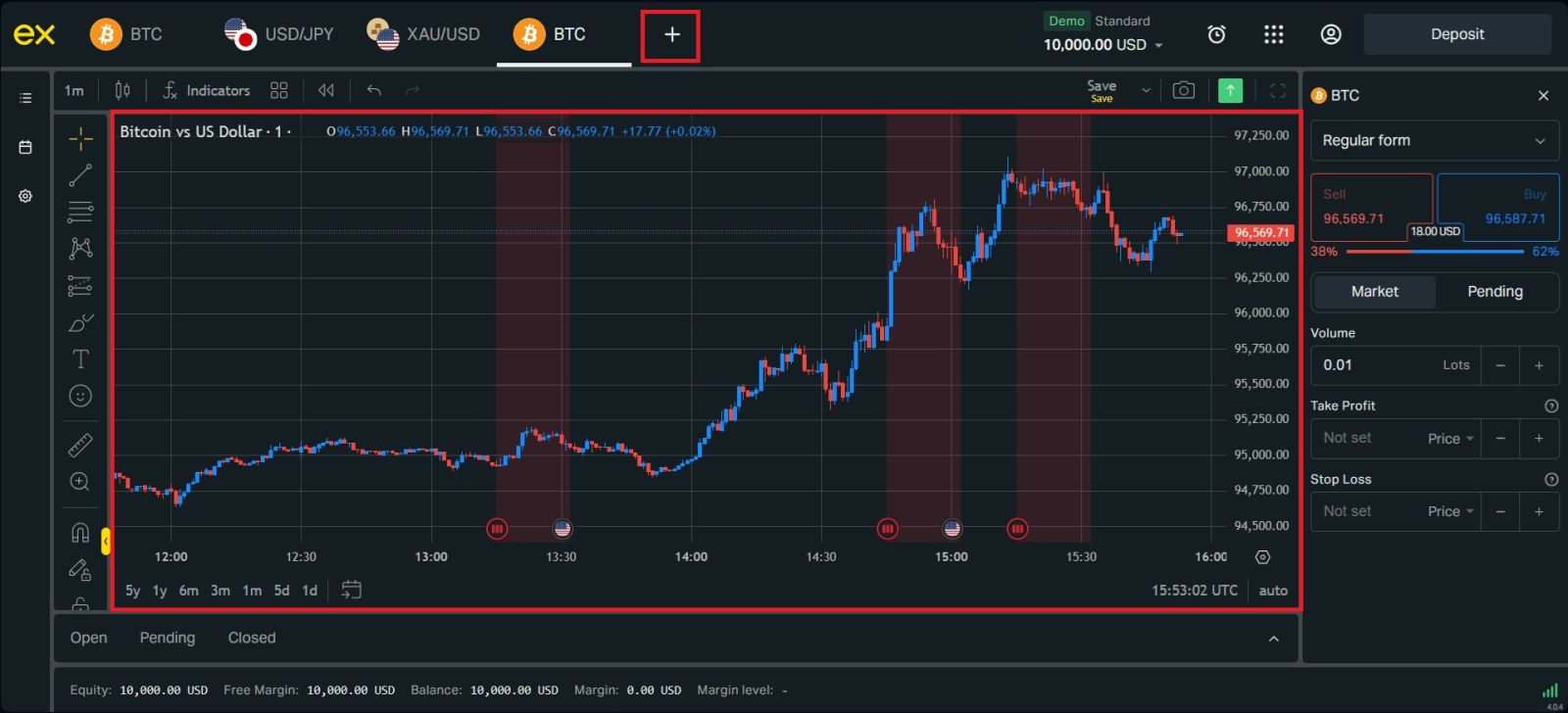
#4 Open Your First Trade
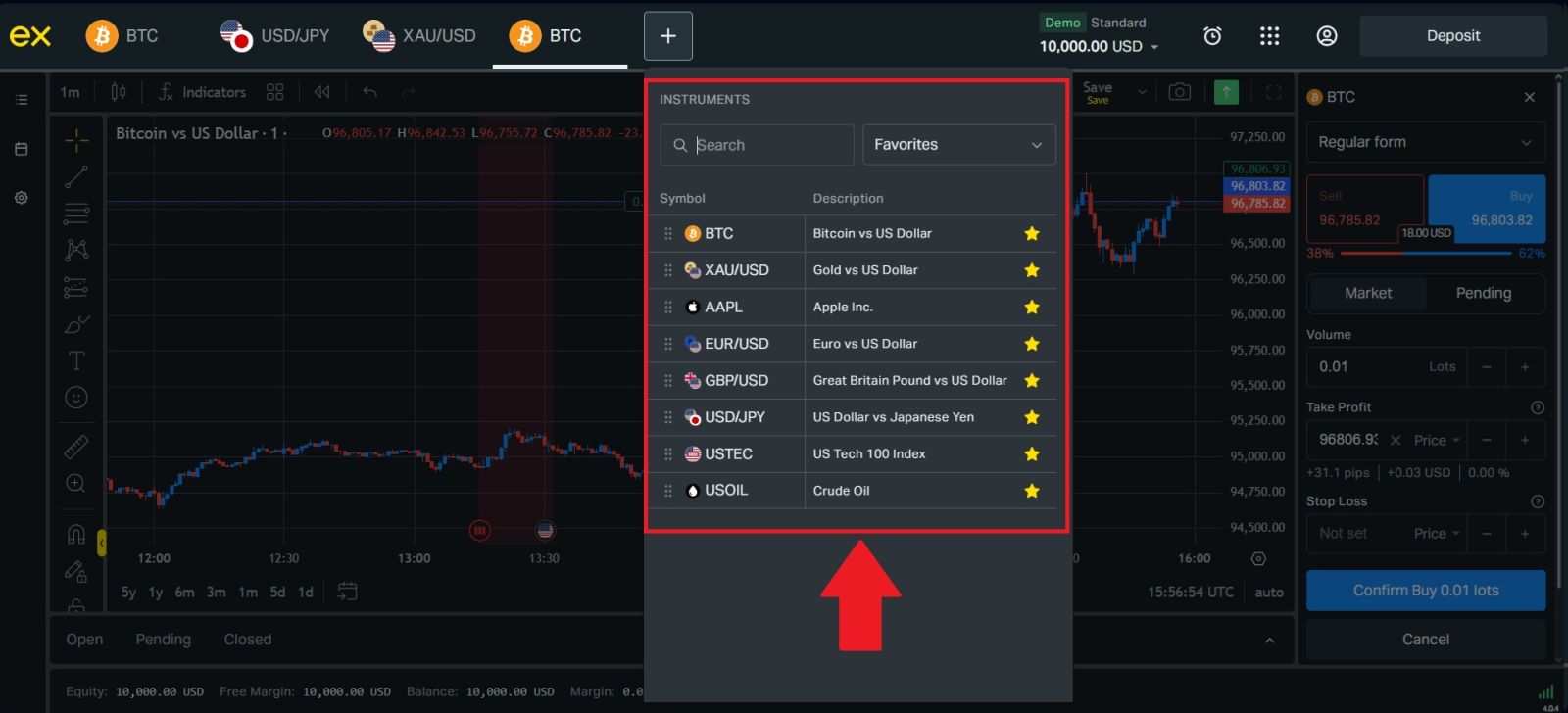
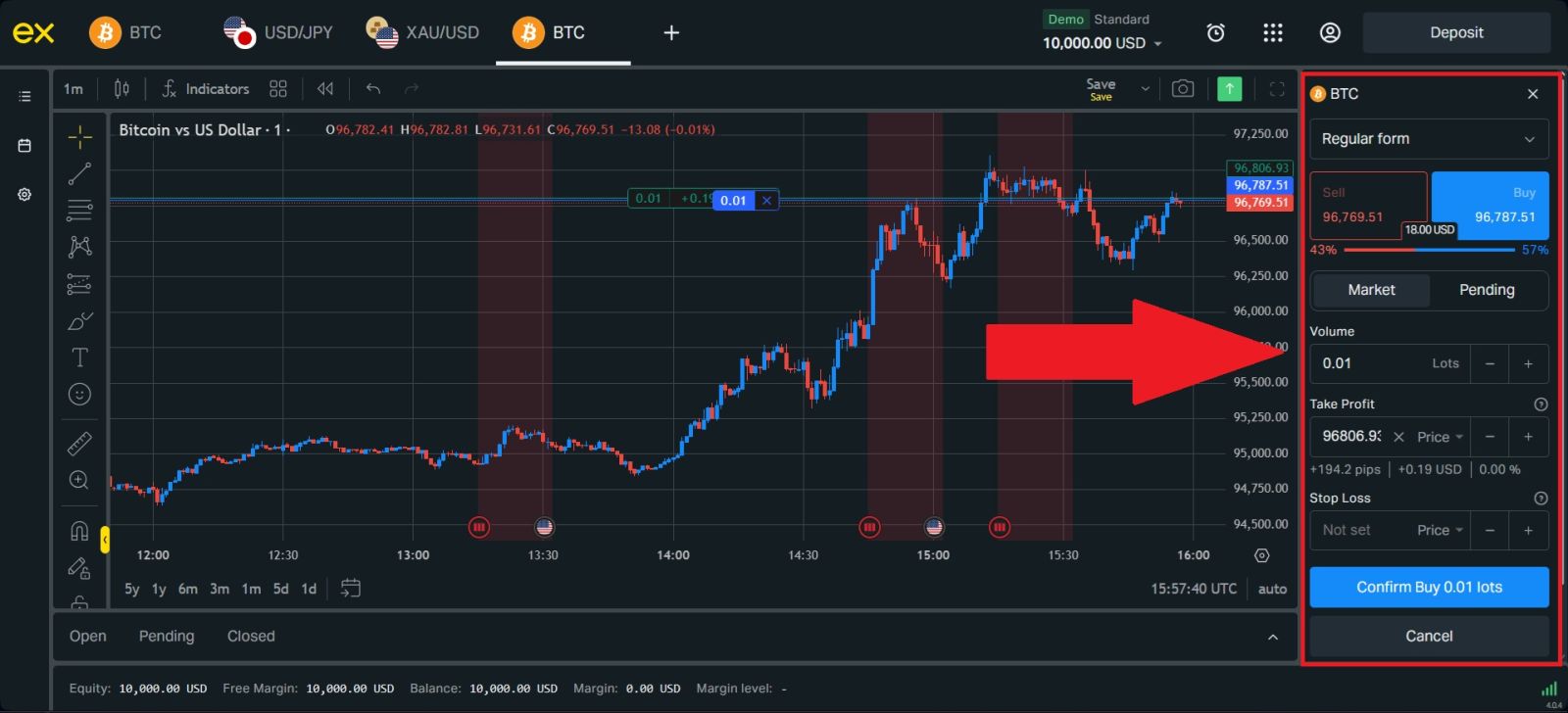
First, create a new order and select which one you would like to trade. Next, enter your trade volume and set your preferred Stop Loss and Take Profit levels to manage risk and potential profit.Notes on risk management:
-
We strongly recommend using risk management settings for every trade you open. These options will let you open a position, decide how much you want to make and how much you are willing to lose on this position, and forget about it. The trade will be closed automatically for you whenever the asset price reaches any of your specified values.
-
For both Stop Loss and Take Profit, the values should not be too close to the current price, or an error will be displayed.
-
When the value is 0.000, the order is not placed.
Click Confirm Buy or Cancel, depending on your understanding of the market conditions.
Conclusion: Trade Confidently on Exness with the Right Approach
Trading on Exness is straightforward and accessible when you follow the correct steps and apply a disciplined strategy. With powerful trading platforms, a wide range of instruments, and reliable execution, Exness provides an ideal environment for both beginners and experienced traders.
By understanding market movements, managing risk effectively, and trading responsibly, you can make informed decisions and enhance your overall trading performance. With the right preparation, Exness becomes a strong platform to support your long-term trading goals.